

The Modern Couple’s Toolkit: Wedding Planning Tools That Actually Make a Difference
Planning a wedding is one of the most exciting projects you’ll ever take on, and also one of the most detailed. Between the guest list, the budget, the vendors, the timeline, and the hundred small decisions in between, it’s easy to feel like you need a second full-time job just to keep everything organized. The good news is that you don’t. Over the past few years, a new generation of wedding planning tools has emerged that takes much of the stress out of the process, and at Toronto Grand we’ve watched couples who use them arrive at their wedding day calmer, more prepared, and far more present in the moment.
Here’s our guide to the tools we see making the biggest difference for the couples who celebrate with us.
Start with a Digital Planning Hub
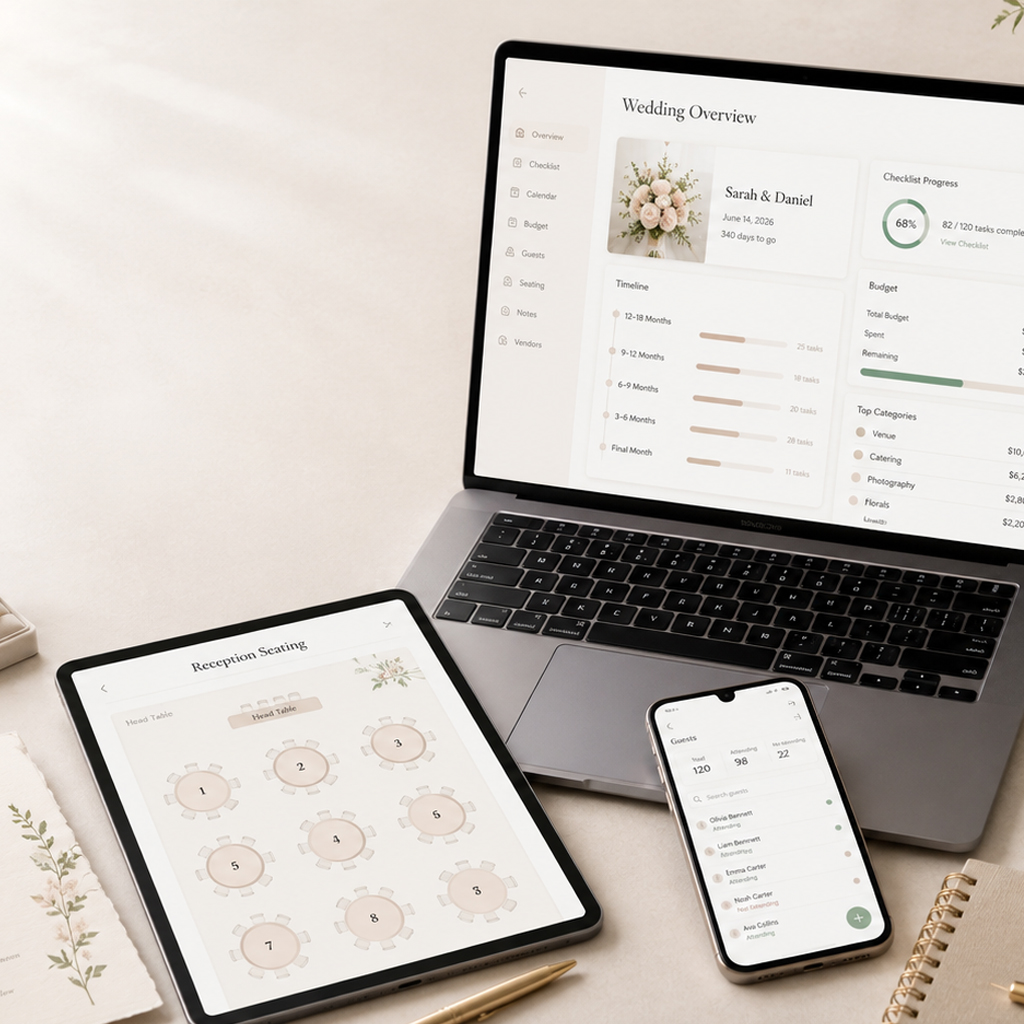
The foundation of a smooth wedding is having one central place where everything lives. Platforms like The Knot, Zola, and WeddingWire offer free planning dashboards that combine a checklist, a budget tracker, a vendor manager, and a countdown to your big day. Instead of juggling a binder, three spreadsheets, and a group chat, you and your partner can log in from anywhere and see exactly what’s done, what’s due, and what’s next.
The built-in checklists are especially valuable for first-time planners because they’re organized by timeline. Twelve months out, you’re booking your venue and setting your budget. Eight months out, you’re shopping for attire and booking your photographer. Six weeks out, you’re finalizing your seating chart and confirming counts with your caterer. Having those milestones laid out in advance means nothing sneaks up on you.
Budget Trackers Keep the Big Picture in View
Wedding budgets have a way of drifting if nobody’s watching them. A dedicated budget tool, whether it’s the tracker built into your planning platform or a shared spreadsheet in Google Sheets, lets you set an overall number, break it into categories, and log every deposit and payment as it happens. The couples who track spending from day one are the ones who still have room in the budget for the fun extras at the end, like late-night food stations or an upgraded floral package, because they can see exactly where they stand.
A practical tip from our events team: build a buffer of about ten percent into your budget from the start. Small overages are normal, and a cushion means they never become a crisis.
Guest List and RSVP Management
Your guest list touches almost everything else: your catering count, your seating plan, your stationery order, and your budget. Digital guest list managers let you collect addresses, track invitations, and log RSVPs in real time. Many wedding website builders now include online RSVP forms, which means guests can respond with a tap instead of mailing back a card, and you can see your headcount update live.
This matters more than couples sometimes realize. Your venue and caterer will ask for a final guest count in the weeks before your wedding, and having accurate, up-to-the-minute numbers makes that conversation effortless instead of stressful.
Seating Chart Builders
If you’ve ever tried to plan a seating chart with sticky notes on a kitchen table, you’ll appreciate how much easier digital seating tools have made this job. Platforms like AllSeated and the seating tools built into major planning sites let you drag and drop guests onto a floor plan, group families together, and rearrange with a click when your cousin’s plus-one changes for the third time.
When you book with a venue, ask for a floor plan of your event space. At Toronto Grand, we’re happy to share our room layouts with couples so your digital seating chart reflects the actual space, right down to the dance floor and the head table.
Your Wedding Website
A wedding website has gone from a nice-to-have to a genuine planning essential. It’s the single place your guests can find the date, the venue address and directions, hotel suggestions, dress code details, your registry, and the RSVP form. Free builders from Zola, The Knot, Minted, and Joy make it possible to have a polished site up in an evening.
A well-built website also cuts down dramatically on the individual questions you’d otherwise field by text in the final weeks. When Aunt Linda wants to know if there’s parking at the venue, the answer is already online.
Collecting Every Photo: Guest Photo Sharing with QR Codes
Here’s a truth every married couple learns: your professional photographer will capture stunning images, but they can’t be everywhere at once. Some of the most treasured photos from your wedding will come from your guests — the candid laugh during cocktail hour, the kids on the dance floor, the view from table twelve during your first dance. The challenge has always been actually collecting those photos afterward, and chasing people down over text and social media rarely works.
This is where QR code photo sharing has become one of our favourite modern wedding tools. Services like PicturesQR or similar dedicated photo sharing services give you a personalized event page and a unique QR code to display at your reception. Guests simply scan the code with their phone camera — no app to download, no account to create — and upload their photos and videos directly to your private album. You stay in full control of the collection, and when the celebration is over you can download everything in one convenient package to keep forever.
The setup takes only minutes, and the payoff is enormous. Place the QR code on your table cards, your welcome sign, or your programs, add a friendly line like “Help us capture every moment!”, and watch a complete album of your day come together from every angle. It’s a small addition to your planning list that consistently ends up being one of the things couples tell us they’re most glad they did.
Day-of Coordination and Communication Tools
In the final stretch, communication becomes the whole game. A shared day-of timeline, built in a simple Google Doc or through your planning platform, keeps your wedding party, your families, and your vendors all working from the same schedule. Include arrival times, the ceremony start, the reception flow, and contact numbers for your key people.
Share that timeline with your venue coordinator, too. At Toronto Grand, our events team works from your schedule to make sure the room transitions, the meal service, and the special moments all land exactly when they should.
The Best Tool Is the One You’ll Actually Use
There’s no single right way to plan a wedding, and you don’t need every app on this list. The couples who plan most smoothly usually pick one central hub, add a couple of specialized tools like a seating chart builder and a guest photo sharing service, and keep everything else simple. Choose the tools that fit how you and your partner naturally work, set them up early, and let them carry the administrative weight so you can focus on what actually matters: celebrating with the people you love.
Planning your wedding in Toronto? We’d love to show you around. Contact our events team at Toronto Grand to book a tour of our banquet spaces and start building your perfect day.